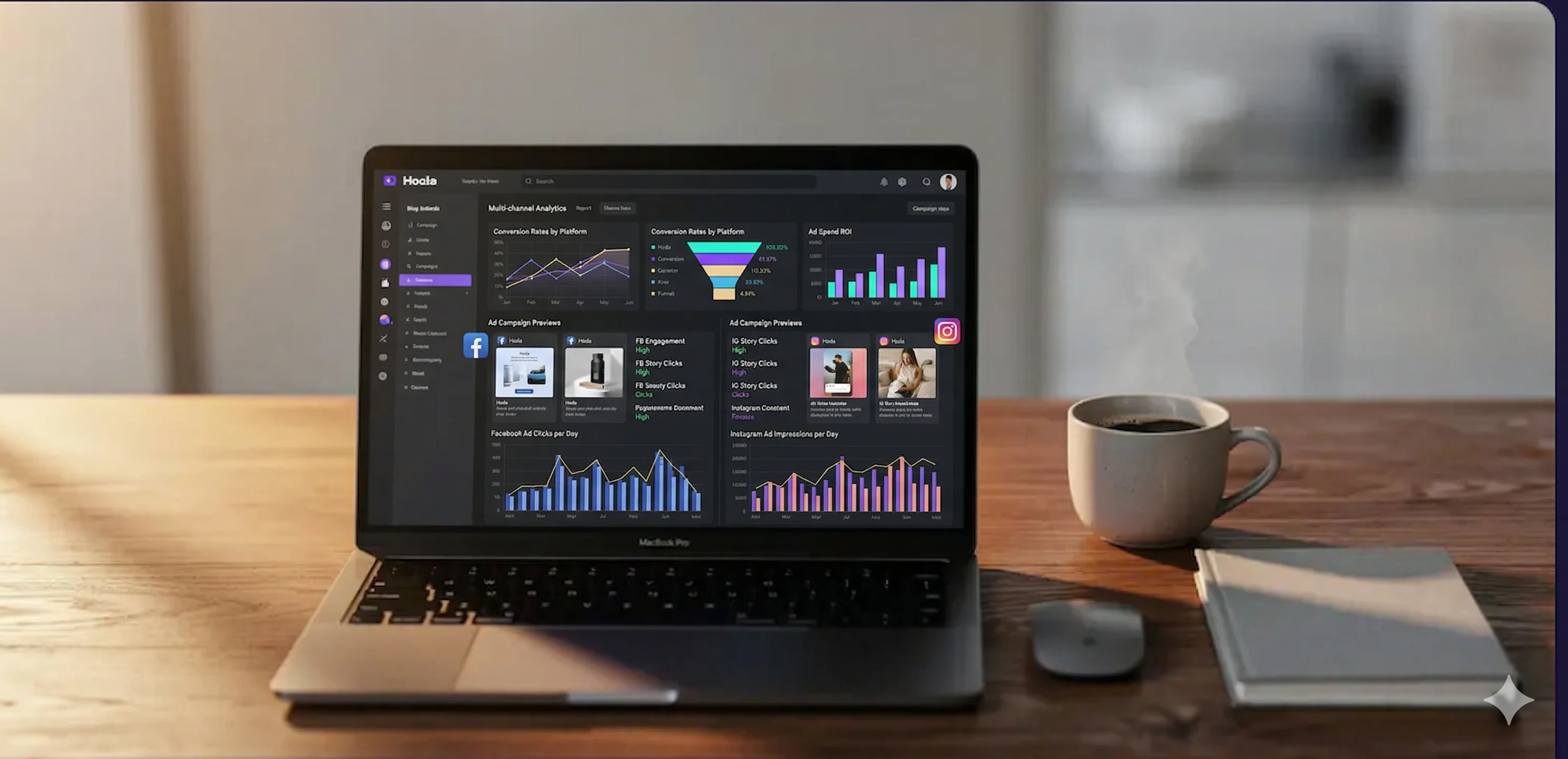
Definition: Meta Ads Manager is Meta's official tool for managing paid ads across Facebook, Instagram, Messenger, and the Audience Network. Every campaign is organized in three layers: Campaign (objective) → Ad Set (audience and budget) → Ad (creative). Understanding this structure makes the whole process straightforward.
You created stunning ads with MarketLed, powerful headlines, professional design, everything ready to go. But now comes the moment where many business owners get stuck: how do you actually upload this to Facebook?
This guide was written specifically for you, a business owner who has never opened Facebook Ads Manager, doesn't know what a “campaign” and “ad set” are, and just wants the ad to run and bring in customers.
Before You Start, What Do You Need?
Before entering Ads Manager, make sure you have:
- A Facebook Business Page, not a personal profile. A Business Page. If you don't have one, create one here.
- A Business Instagram account (if you want to advertise on Instagram too), connected to your Facebook Page.
- A payment method, credit card or PayPal. Facebook does not accept bank transfers.
- Ad images/videos, if you used MarketLed, download your ads from the gallery.
- Ad copy, headline, description, and call to action. MarketLed created all of that for you too.
The Guide: 7 Steps to Upload an Ad
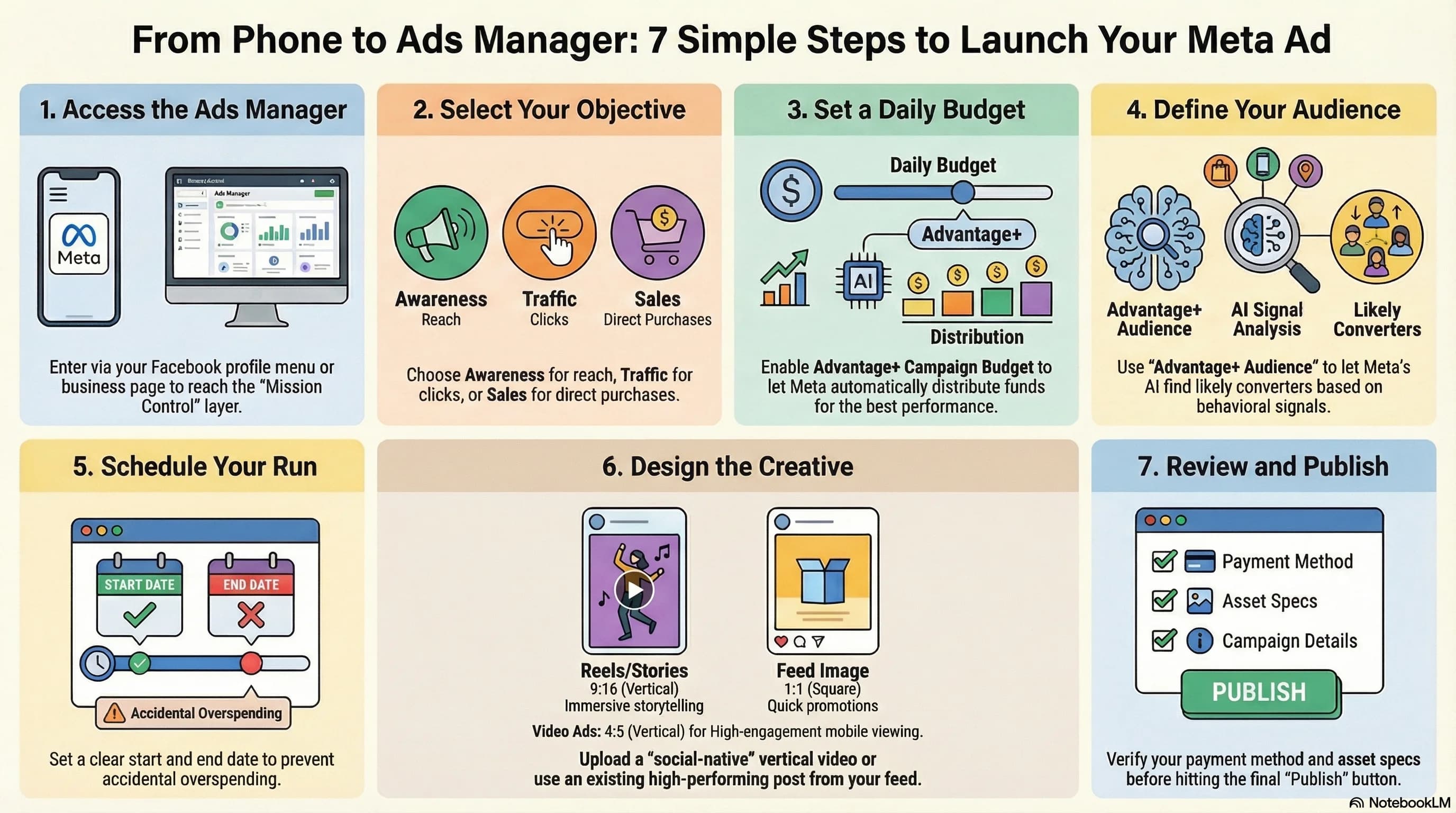
Go to Ads Manager
Navigate to business.facebook.com/adsmanager and log in with your Facebook account. If this is your first time, Facebook will ask you a few questions about your business. Answer them and continue.
Click "Create"
In the top left corner you'll see a green “Create” button. Click it, a window will open for choosing your campaign objective.
Choose an Objective
Facebook asks: what's your goal? Here are the most common choices for small businesses:
- Traffic, drive people to your website or landing page
- Leads, collect contact details from potential customers
- Sales, if you have an online store
- Awareness, if you want people to know your brand
Set Your Audience and Budget
In this step you define:
- Location, Israel (or specific cities like Tel Aviv, Haifa)
- Age and gender, based on your customers
- Interests, Facebook offers a list. Pick what's relevant to your industry
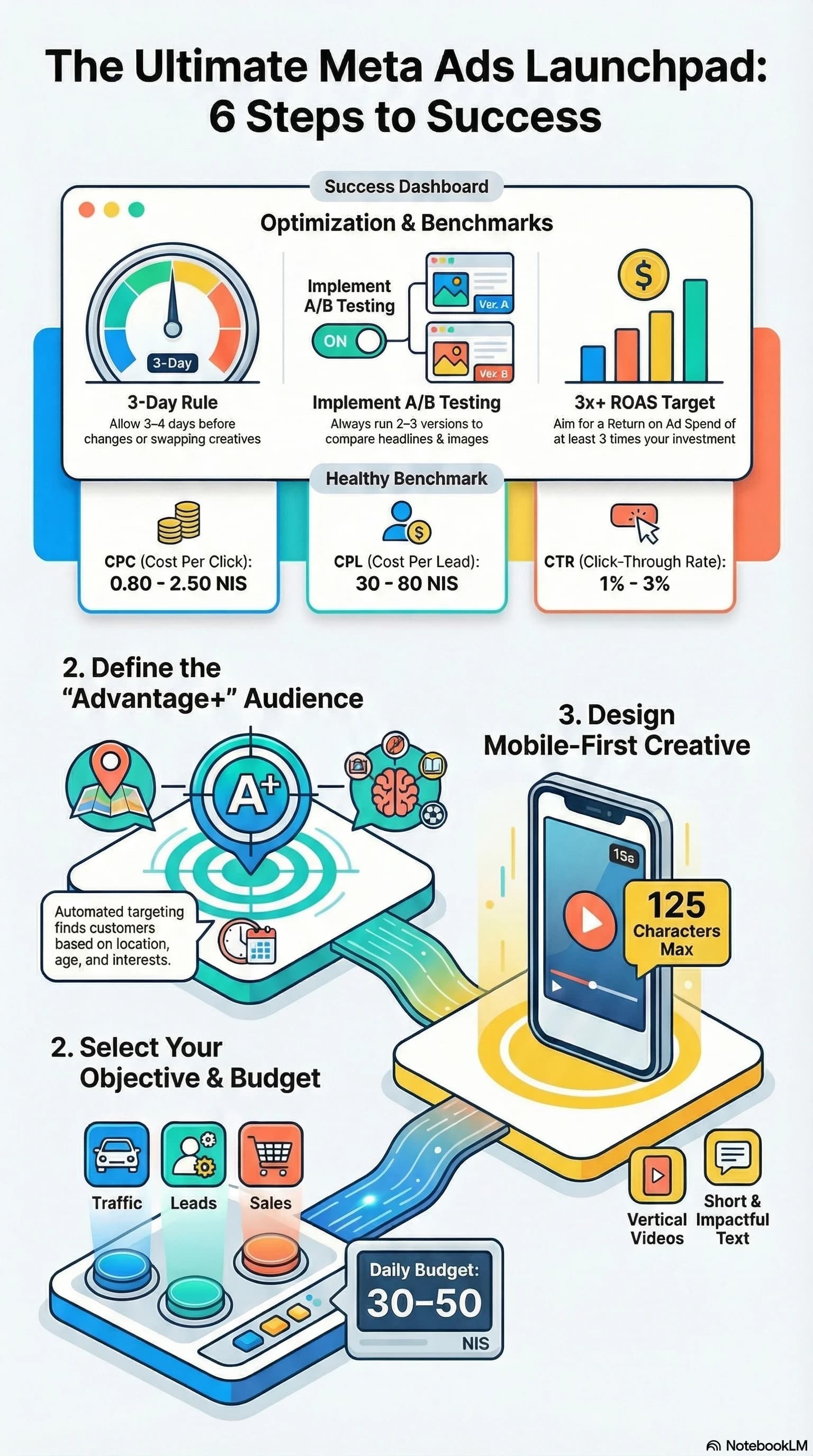
- Daily budget, recommended to start with 30-50 NIS per day
- Dates, when to start and when to stop
Upload Your Ad
This is the main part:
- Select your Facebook Business Page (and if you want, your Instagram account too)
- Choose a format: Single Image, Carousel (multiple images), or Video
- Click “Upload Media” and upload the images you downloaded from MarketLed
- Enter the primary text, the description that appears above the image
- Add a headline and description, the text below the image
- Choose a call to action (CTA), “Contact Us”, “Shop Now”, “Learn More”
- Add a link, to your website, landing page, or WhatsApp
Review and Click 'Publish'
Facebook shows a preview of your ad. Make sure everything looks good, in the feed, in Stories, on Instagram. If it looks right, click “Publish”.
Track Your Performance
Once your ad is live, come back to Ads Manager after a day or two and check:
- How many people saw it (Impressions / Reach)
- How many clicked (Clicks)
- Cost per click (CPC)
- How many leads/sales you got
If an ad isn't delivering results after 3-4 days, pause it and try a different version. That's normal, it's part of the process.
Instagram Too? Yes, Same Place
Many business owners don't realize this: Instagram and Facebook are managed from the exact same Ads Manager. When you create a campaign on Facebook, simply check Instagram under the “Placements” settings, and your ad will run there too. Same budget, same audience, same ad.
How Much Budget to Start With?
- Minimum: Facebook lets you start from 4 NIS per day. But with that amount, you won't see much.
- Recommended for beginners: 30-50 NIS per day (900-1,500 NIS per month)
- For initial testing: run an ad for 7 days with a total of 200-350 NIS. See if you get results.
- Rule of thumb: if your ad brings in leads for under 50 NIS per lead, increase your budget. If it's over 80 NIS, switch the ad.
Key insight: The goal of your first 7 days is not to profit, it's to learn. Run at least 2-3 ad variations, track what works, and only then scale your budget. Businesses that skip the learning phase burn money without building any lasting asset.
Common Mistakes (and How to Avoid Them)
- Audience too broad, “All of Israel, ages 18-65” is not a target audience. Narrow it down to a city, age range, and specific interests.
- Running only one ad, always upload at least 2-3 variations. If an ad isn't working, pause it and swap it out.
- No landing page, sending people to your homepage? Mistake. Create a high-converting AI landing page that speaks directly to your audience.
- Not checking results, check Ads Manager at least once a week. What's not working, pause it.
- Copy too long, your ad should be short and sharp. Problem → Solution → Call to action.
Don't have a landing page yet? Read how to create a free landing page, 5 minutes, no code, no designer needed.
A/B Testing, Test Your Ads Easily
A/B Testing is simple: upload 2-3 different versions of an ad, run them simultaneously, and see which one delivers better results. Keep the winner and increase its budget. Pause the rest.
What to test each time:
- Different image, same copy, different image
- Different headline, same image, different headline
- Different audience, same ad, different target audience
10 Tips Straight from Meta (Facebook)
These tips are based on Meta's official guide and on what actually works for Israeli businesses:
- Use Campaign Budget Optimization (CBO), let Meta distribute your budget across ad sets automatically. The system knows where every shekel delivers the best results.
- Start with Advantage+ Audience, instead of guessing who your audience is, let Meta's AI find them. Works great almost every time.
- Mobile first, 90% of Israelis browse on their phones (source: StatCounter Israel, 2025). Make sure your ad and landing page look good on mobile before you publish.
- Primary text, 125 characters max, short headlines convert better. Save the details for the landing page.
- Images without too much text, Meta prefers images with minimal text. Rule: if more than 20% of your image is text, reach will drop.
- Install the Meta Pixel, a small code snippet on your website that tracks visitors. Without it, you're blind, you won't know who came from the ad or who converted.
- Give your ad a “learning phase”, Meta needs about 50 conversions per week to optimize. Don't change or pause an ad in the first two days.
- 15-second videos win, short videos get more reach and cost less per view. Put your hook in the first 3 seconds.
- Retargeting, the real gold, show a new ad to people who already visited your site. Cost per lead drops 3-5x compared to cold audiences (source: WordStream Facebook Ads Benchmarks).
- Duplicate winning ads, found an ad that works? Don't change it. Duplicate it, tweak one element (image or headline), and run both side by side.
Video Ads, 15, 30 & 60 Seconds
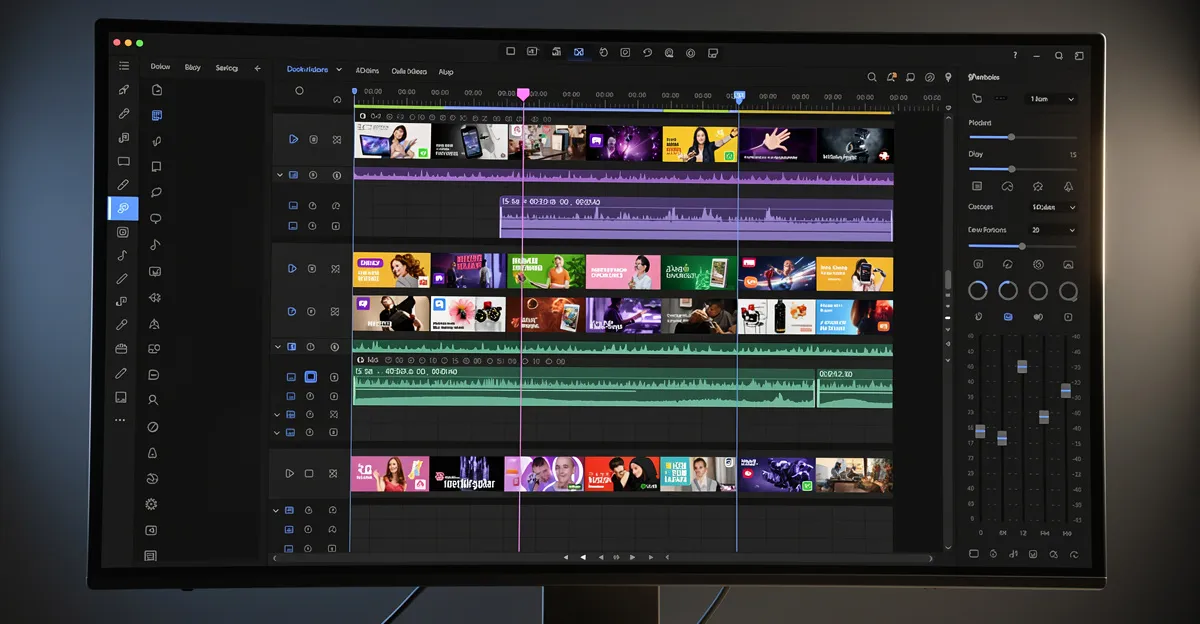
Key insight: A 15-second video with a hook in the first 3 seconds gets 2-3x more views than a static image, at a lower cost per click. The implication: the same ad budget delivers more reach, more clicks, and more leads when you use video.
Facebook and Instagram prefer videos over images, they get more reach, more engagement, and cost less per click. But most business owners don't create videos because it seems complicated. With MarketLed, it's simple.
What Does MarketLed Create for You?
- 15-second video, perfect for Stories and Reels. Strong hook + call to action. Cheapest for reach.
- 30-second video, ideal for the feed. Problem → Solution → CTA. The most common ad length in Israel.
- 60-second video, for a full story. Customer testimonial, product walkthrough, or overview. Works great on LinkedIn and Facebook.
How Does It Work?
- The AI writes a script based on the research, positioning, and copy you already created
- MarketLed produces a professional video with animations, text overlays, and a call to action
- Download the MP4 and upload directly to Facebook/Instagram
Campaign Budget Calculator
Not sure how much to invest? This calculator is based on Israeli market data and will show you exactly how many leads to expect, your cost per lead, and how to start smart.
מחשבון תקציב קמפיין
כמה תקציב צריך ומה תקבלו בתמורה?
Infographic, Guide Summary
Save this infographic or share it with someone who needs it:
Quick Guide to Campaign Creation
Facebook + Instagram: 7 Steps to Results
Recommended Budget
What to Measure?
Common Mistakes
Tips That Work
MarketLed: Smart Marketing for Israeli Businesses
Want ads ready to upload?
MarketLed creates professional ads with AI, headlines, design, and copy. Pick your favorites, download, and upload to Facebook in minutes.
Create Ads Now